Phase cancellation is what happens when two recordings of the same sound reach your mix slightly out of sync, so the peak of one waveform lands in the trough of the other and the two signals subtract instead of adding. Fixing it in a studio means finding the exact milliseconds of offset, then correcting the cause: mic placement, polarity, routing, or level. Most of it takes about an hour on an existing session.
Here is the honest version: the flip-the-polarity button on your channel strip is almost never the answer people think it is. It corrects one specific error, a 180-degree reversal. A mic that is three milliseconds late is a different problem entirely, and no button repairs it for you.
What follows is the order I work in, and it is roughly the order most engineers land on after a few ruined takes. Read the whole thing before opening your session, then work top to bottom.
Table of Contents
- What You Need
- Step-by-Step: How to Fix Phase Cancellation
- 1. Confirm the Problem Is Phase Cancellation
- 2. Check Microphone Polarity and Cable Connections
- 3. Compare Double-Tracked Performances
- 4. Adjust Microphone Placement to Fix Phase Cancellation
- 5. Check Routing, Gain, and Processing
- 6. Use Correction Tools as a Last Step
- 7. Test the Fix and Export the Result
- Common Mistakes
- Frequently Asked Questions
- Is phase cancellation the same as polarity reversal?
- Why does my recording sound thin or hollow when I add another track?
- How do I fix phase cancellation in a recording I already made?
- Can phase cancellation be fixed with a plugin?
- Should I phase-align every instrument in my mix?
- Does phase cancellation matter in headphones and speakers differently?
What You Need
You do not need expensive gear. You need a session you can inspect and a way to hear what changes when two signals meet.
- The unrendered multitrack. Bounced or flattened files hide nothing, but they also stop you from soloing. Always diagnose on the session.
- Your DAW’s polarity control and delay control. Every major DAW has both, usually on the channel strip or in the track header.
- A phase scope or correlation meter. A phase scope draws the two signals against each other as a Lissajous figure. A correlation meter gives you a single number from plus one to minus one.
- A monitoring path you trust. Headphones and one good speaker. If your monitors are doubling your interface signal through two paths, you will chase ghosts all afternoon.
- Balanced cables and a known-good input. Swap one cable and one input before you start blaming the mix.
- Optional: a free alignment tool. There are free phase-correction plug-ins that place a temporary low-pass sweep across the signal and score the best match for you. They are useful when you have fifty tracks and no patience.
That is genuinely the list. The expensive phase plug-ins at the top of every affiliate list solve the same problem as a free one does, just with fewer clicks.
Step-by-Step: How to Fix Phase Cancellation
Work through these in order and stop when the problem goes away. Each step assumes the previous one is clean, so skipping ahead wastes time.
1. Confirm the Problem Is Phase Cancellation
The first job is proving you have the right diagnosis, because a thin mix can also be a bad take, a level-staging problem, or an EQ mistake wearing the same coat.
The tells of phase cancellation are specific. A hollow, scooped or thin sound. Low end that disappears under a layer but returns the moment you solo it. A tone that changes when you move your head a few inches, or when the singer steps away from the mic. Instruments that vanish in mono but sit fine in stereo. And a strange hollow, flanged or underwater quality that no amount of volume fixes.
Here is the test that settles it. Solo the two suspect tracks, level-match them, then press the polarity invert button on one. If the sound gets dramatically better when you flip it, you had a genuine 180-degree error. If it just sounds different, and neither version is great, you have a fractional time offset and a different fix.
Run a correlation meter for a second opinion. A reading close to plus one means the tracks are well aligned. Zero or negative means they are fighting. Cutting a mix to mono by summing to a single channel and listening is the fastest whole-session test there is.
2. Check Microphone Polarity and Cable Connections
A reversed mic, a half-patched cable, or a microphone in a strange orientation all produce the same 180-degree error, and all of them show up before a single note is mixed.
Check the physical setup first. Are both mics actually in the inputs you think they are? Is a cable going into a mic input when it should go into a line input? On condenser microphones, confirm phantom power is on at the preamp and not being supplied twice, which can damage a ribbon or a passive dynamic. On a stereo pair, confirm the two mics are not wired backwards relative to each other.
Then check orientation. A microphone is directional. If you have two mics aimed at the same source from opposite angles, one is looking at the back of the other, and their waveforms arrive inverted. Rotate the offending mic and listen again.
A less obvious cause: your monitor path. If the same interface output is feeding two inputs, or your speakers and headphone amp share a path badly, the signal can be summed twice. Bypass the interface and play a reference track you trust. If that is clean, the fault is in the session, not the room.
3. Compare Double-Tracked Performances
Double-tracked guitars and vocals are where phase problems hide most often, because the two takes were never meant to be identical.
Play each take alone and listen for the transient, the initial snap of the pick attack or the consonant. Then zoom the waveforms in your DAW and look at where those transients sit relative to each other. On most DAWs you can drag with a modifier held down to get sample-accurate movement; a few hundredths of a millisecond is all it takes.
If the transients are visibly apart, nudge the later one back until the attacks line up. Listen in mono the whole time, because mono is where misalignment announces itself.
One more trick that saves low end: split the lower track at roughly 250 Hz, sidechain the high band from the low band of the other take, and let one voice own the bottom. Most production engineers use a transparent compressor for this rather than a hard EQ split, because the keyed low end fades in and out smoothly instead of switching. The doubled layer keeps its presence and definition while the sub stops fighting.
4. Adjust Microphone Placement to Fix Phase Cancellation
Moving a microphone is the only fix that removes the problem at the source, and it works because it changes the distance sound travels before it hits the diaphragm.
Sound travels roughly 343 meters, or about 1.13 feet, per millisecond. That number is the whole game. A source reaching mic A 0.5 milliseconds before mic B is arriving with a half-millisecond offset, and half a millisecond is enough to hollow out the top end completely.
Here is what a half-millisecond does to specific frequencies:
| Time offset | First frequency hit by a null | What you hear |
|---|---|---|
| 0.125 ms | 2,000 Hz | Presence and bite get hollow |
| 0.25 ms | 1,000 Hz | Attack and definition soften |
| 0.5 ms | 500 Hz | Body and warmth hollow out |
| 1 ms | 250 Hz | Fundamental thins, mix feels scooped |
| 3 ms | about 83 Hz | Low end gutted, kick and bass vanish |
Because cancellation is frequency-dependent, one offset does not ruin everything equally. A badly misaligned pair still sounds fine in some ranges, which is why these problems sneak through a mix revision and only show up later.
For placement, use the 3:1 rule: keep a second microphone at least three times farther from the source than the first. A vocal mic six inches away wants its second mic at least eighteen inches out. Closer than that and the second mic hears mostly the first one’s output reflected off whatever is behind them, which is comb filtering dressed up as a double track.
In practice, I move the mic while listening in mono. Push it slowly, and when the tone suddenly fills in, stop. The same test inverted works on a two-mic guitar cab: play it out of phase, and if the top end also collapses when you move the mic, you have found the correct position.
Watch the nulls. A directional mic has a null at the rear, and small moves across the polar pattern change the arrival time and level simultaneously. Above the source, below it, or a few inches forward each produce a different result, so try all three.
5. Check Routing, Gain, and Processing
Once the mics and takes are clean, the fault is usually somewhere in the signal chain, and it is often a plugin nobody remembers installing.
Start with gain staging. Peaks should sit somewhere around minus 12 dBFS and average around minus 18, giving you headroom to work. A track recorded hot and then normalised downward, or pushed through a compressor that has doubled its makeup gain, hides level problems that sound like phase problems. Fix the levels first, then judge alignment on level-matched sources, because cancellation is worst when two signals are equal in level.
That last point explains a lot of the confusion on audio forums. Two singers sharing one pair of headphones, two mics on a musical-theatre actor, two layers of the same guitar: all of them sound fine until both faders come up equally, and then the sound falls apart. The practical answer that comes out of those threads is riding the faders and pulling one mic out entirely. A useful rule of thumb from the same discussions: roughly 18 dB of level difference between two microphones makes the cancellation effectively inaudible, because you are no longer summing two comparable signals.
That 18 dB rule is also the honest answer to “is phase cancellation ever acceptable.” Yes, when one source is genuinely much closer, much louder, or the instrument is a reinforcement rather than a competing voice.
Next, audit the channel strips. Look for phase, polarity or optimisation plug-ins on every insert, and bypass them one at a time. Several famous “phase fixers” deliberately introduce a small time shift or a low-pass to make their measurement work, and stacking two of them on a session is a good way to create a problem that was not there. Remove them from the insert slots and keep only the ones you can justify.
Check the routing next. Buses, group faders, sends and returns all have polarity buttons, and each one is a chance to flip a track a hundred times on the way to the master. Solo from the master backward to find the first point where the tone changes. Watch the DAW’s monitor and input paths for duplicated channels, and make sure nothing is printing through a different route than you think it is.
Finally, a filter before you invert. Flipping polarity on a track with deep sub content often sounds worse, not better, because the bass and the kick stop reinforcing each other. High-pass the lower track around 80 to 120 Hz before inverting, then listen in mono. Order matters here and it is the step most people skip.
6. Use Correction Tools as a Last Step
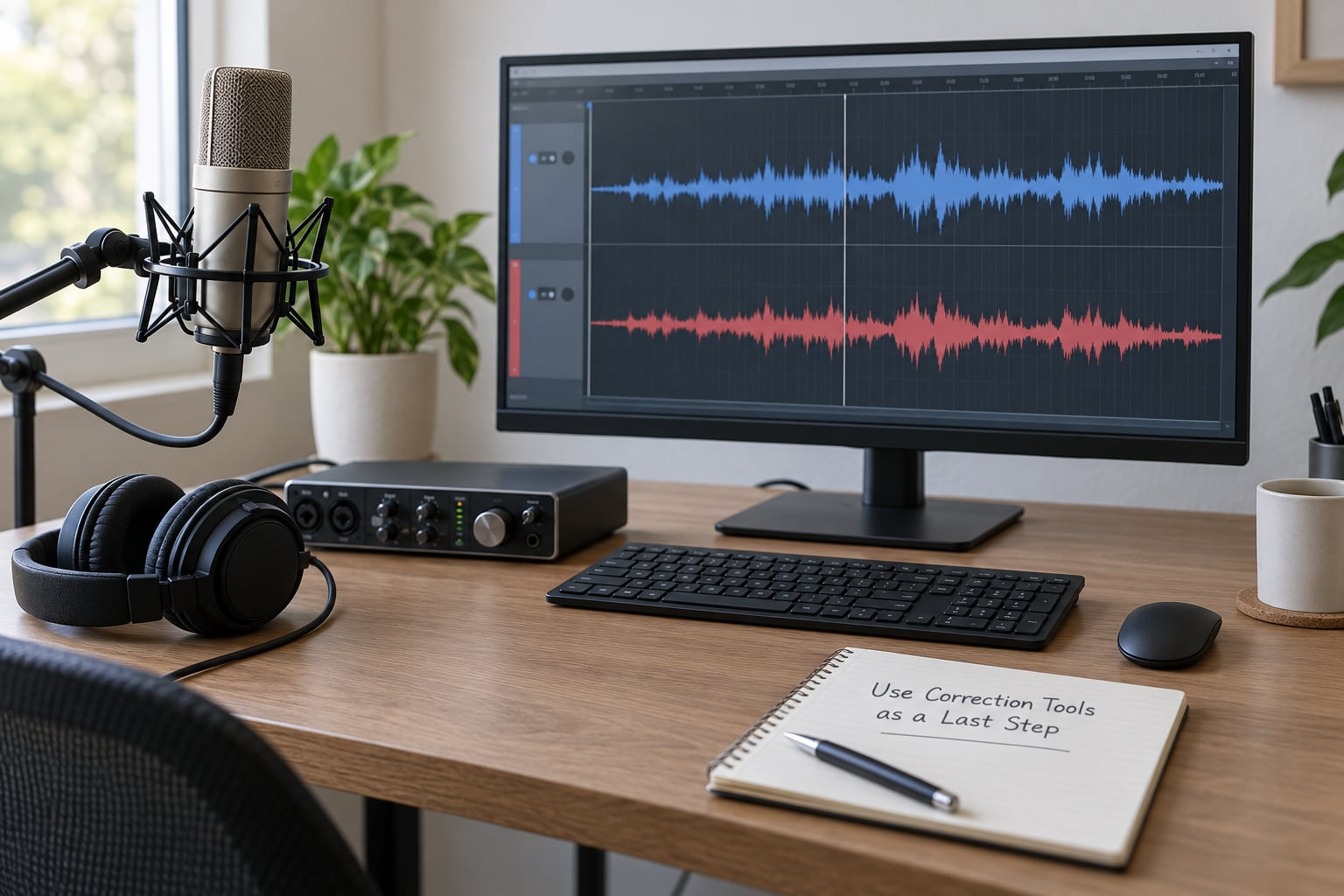
Automatic alignment tools earn their place in a mix with dozens of tracks, and nowhere else.
The common method is clever. The plug-in plays a low-pass sweep on one signal, measures which part of the other signal matches, and slides the second signal to the best-fitting point. A phase scope or correlation meter does the same job visually. Track correlation by frequency, as a phase-coherency display does, and you can see exactly which range of a mix is incoherent rather than guessing from the sound.
Use them for what they are good at: aligning a session you inherited, a large drum recording, or a stereo pair you have no way to re-shoot. For a couple of tracks in a home studio, your ears and the transient are faster and more accurate.
One correction to the most common belief on forums, and it matters: adding delay does not eliminate the interaction. Only relative phase and relative level decide the outcome, so a few extra milliseconds simply change which frequencies sum and which cancel. You have moved the problem, not removed it. The arithmetic still has to work out.
7. Test the Fix and Export the Result
A fix is not done until it survives mono, level-matched comparison, and a second pair of ears’ worth of speakers.
Do the mono test on the full mix, not just the fixed pair. Collapse the session to a single channel and listen with intent: if an instrument disappears, it was never phase-compatible to begin with. Mono compatibility is not a stylistic choice, it is a delivery standard for vinyl, club and PA systems, broadcast, and every phone speaker, which sums to mono without asking.
Compare before and after at matched levels, switching between them with a repeatable A and B. A/B that changes volume is not an A/B, and it will convince you that you fixed something.
Check your headroom after the fix. Correcting phase can raise the summed level noticeably, since two signals that were partially cancelling now add fully, and a mix that was peaking at minus 6 can jump over 0. Pull the master down and re-check your peaks.
Then check the file you are sending. If it is for mastering, export a mono reference too and listen to it before you bounce.
Common Mistakes
Most of what circulates about phase is wrong, or right in a way that misleads people. These are the errors I actually see.
Flipping polarity automatically. The invert button is a fix for one specific error: a mic wired backwards or a 180-degree reversal. Reach for it on a three-millisecond offset and you will make the mix worse, and you will not know why. Invert only after a test flip made the sound clearly better.
Moving a microphone without listening in mono. Repositioning blind, or by watching a waveform, wastes takes. Put on headphones, or use a DAW loop, and move the mic in small increments while the track plays. The waveform tells you where the transient is; your ears tell you whether it is right.
Aligning by eye on the waveform. A gridline is not a phase relationship, and visual overlap of two dense waveforms tells you very little. Align on the transient, and listen to confirm.
Stacking corrective plug-ins. Multiple phase, polarity or dynamic-range “fixers” can each add a small time shift. One on a mix bus is a tool. Five across a session is a second mixing problem. Bypass them all and see if the problem survives.
Treating every quiet sound as phase cancellation. Before blaming phase, check the boring causes: gain staging, a high-pass filter set too high, a hard EQ cut, over-compression on a source, a dull mic position, or simply a take the player did not want. Phase problems move when you move your head or collapse in mono. Level and EQ problems do not.
Ignoring relative level. If two signals are 18 dB apart, the cancellation is essentially inaudible, and chasing alignment is wasted effort. If they are level-matched, the problem will be obvious. Use level as a diagnostic as much as alignment.
Frequently Asked Questions
Is phase cancellation the same as polarity reversal?
No. Polarity reversal is a full 180-degree flip, which is what the invert button on a channel strip does, and it only works when two signals are mirrored exactly. Phase is about fractional timing, and a 3-millisecond offset is a different fault entirely. Flipping polarity cannot correct a timing error, which is why the button often changes the sound without improving it.
Why does my recording sound thin or hollow when I add another track?
Usually because the two versions of the source are arriving at different times. A half-millisecond offset puts a null at 500 Hz, so the body of the sound is hollowed out while some other frequencies reinforce and get artificially boosted, which is the comb-filtered quality. Lowering one layer, aligning the transients, or high-passing the quieter track below about 120 Hz usually restores the weight.
How do I fix phase cancellation in a recording I already made?
Start in mono and solo the two suspect tracks one at a time. Nudge the later track back until the transients line up with the waveform zoomed in, then level-match and listen again. If a flip of polarity dramatically improves it, the error was a reversal rather than a timing offset. If nothing helps, reduce the level of one layer or high-pass it, since 18 dB of level difference makes the artifact inaudible.
Can phase cancellation be fixed with a plugin?
Yes, partly. A phase-alignment plug-in measures where two signals best match and slides one to fit, which works well on dense drum recordings or sessions you inherited. But adding delay does not remove the interaction, it only changes which frequencies cancel, because relative phase and relative level still decide the outcome. Plugins rescue a mix; they do not replace good mic placement.
Should I phase-align every instrument in my mix?
No, and trying to is a common way to ruin a mix. You are only correcting phase between sounds that genuinely represent the same source at the same moment, like a doubled vocal, two mics on one cab, or a kick layered with bass. A flute and a guitar played in different rooms have no phase relationship to fix. Aligning unrelated sources only makes level matching harder.
Does phase cancellation matter in headphones and speakers differently?
It sounds worse on speakers because your two ears sum the signal a little differently depending on where the source sits, and because you can pan sources widely, which increases the arrival time difference between channels. Headphones hide some of it and reveal others. Mono playback sums everything to one channel, which is where phase problems become obvious, and that is why a mono compatibility check is standard before mastering.
Start in mono, solo the two tracks, and flip the polarity to find out which kind of error you have. If the flip fixes it, you had a reversed signal. If it does not, zoom in on the transients and nudge the later track back until the waveforms line up, then re-check in mono. Everything after that is cleanup.