A sample library is just a structured collection of audio files on your machine — loops, one-shots, and multi-sampled instruments — kept somewhere you can find a sound in seconds instead of twenty minutes. A sample pack, by contrast, is the finished product you downloaded; the library is everything you keep after you have unpacked, renamed and sorted those packs. To organize your sample library you need three things, not thirty: a folder tree that stays under four levels deep, one filename formula you never deviate from, and a fixed list of tags for the things folders cannot express, like BPM and key.
Get those three right and the rest is maintenance. Skip them and you will spend an afternoon every month scrolling, opening folders you already know are wrong, and settling for whatever sound loads first. That second part is the expensive one. A bad library quietly degrades every track you make after it.
What You Need
You need storage and tools, and the storage part is the easy decision. One main drive where you actually work, one external drive that never lives in the same room as the first, and one cloud folder for the tag data and anything irreplaceable. A single drive is not a backup, and this is the one thing the forums agree on without exception.
On the tool side, four things will earn their place:
- A batch rename tool for applying a naming formula across hundreds of files at once. Bulk Rename Utility on Windows and Name Mangler on macOS both do find-and-replace patterns without touching anything else.
- A sample manager that reads and writes tags, previews waveforms, and searches offline. Your DAW browser is not this tool.
- A duplicate finder — dupeGuru is the free standard, Gemini does the same job commercially.
- A spreadsheet for the tag vocabulary itself, so the list of valid tags stays in one place instead of in your head.
Sample managers cluster into three groups, and which one fits depends less on the feature list than on what you refuse to compromise on.
| Type | Examples | What it is good at | What it costs you |
|---|---|---|---|
| Free or built-in | Voxengo SampleStart, your DAW’s own browser | Auditioning, quick naming, zero setup | Shallow metadata, no real tag search, no duplicate tools |
| Dedicated manager | AudioFinder, ADSR Sample Manager, Sampler | Full tag search, waveform previews, smart playlists, batch edit | You have to tag the library — it will not do it for you |
| Sound-matcher | Sononym | Finding a similar sound when you cannot name it, and auto-labeling bulk folders | Heavy on CPU, less useful once your own library is well tagged |
For most home studio producers the middle row is the answer, and it has been for years across KVR, GearSpace and r/AdvancedProduction. The deal-breakers, in the order people mention them, are software that insists on renaming your files, software that breaks existing patches, and software that needs a live connection to search anything.
How to Organize Your Sample Library: Step by Step
Here is how to organize your sample library end to end, before the detail. Audit what you have. Build a folder tree no deeper than four levels. Rename everything with one formula. Tag the attributes folders cannot hold. Fix your tag vocabulary so Kick never becomes Kicks. Star the sounds worth keeping. Sweep for duplicates. Back up audio and tags separately. Run a short maintenance pass once a month.
Each step below explains what to do and how to tell it worked.
How to organize your sample library without deep folders
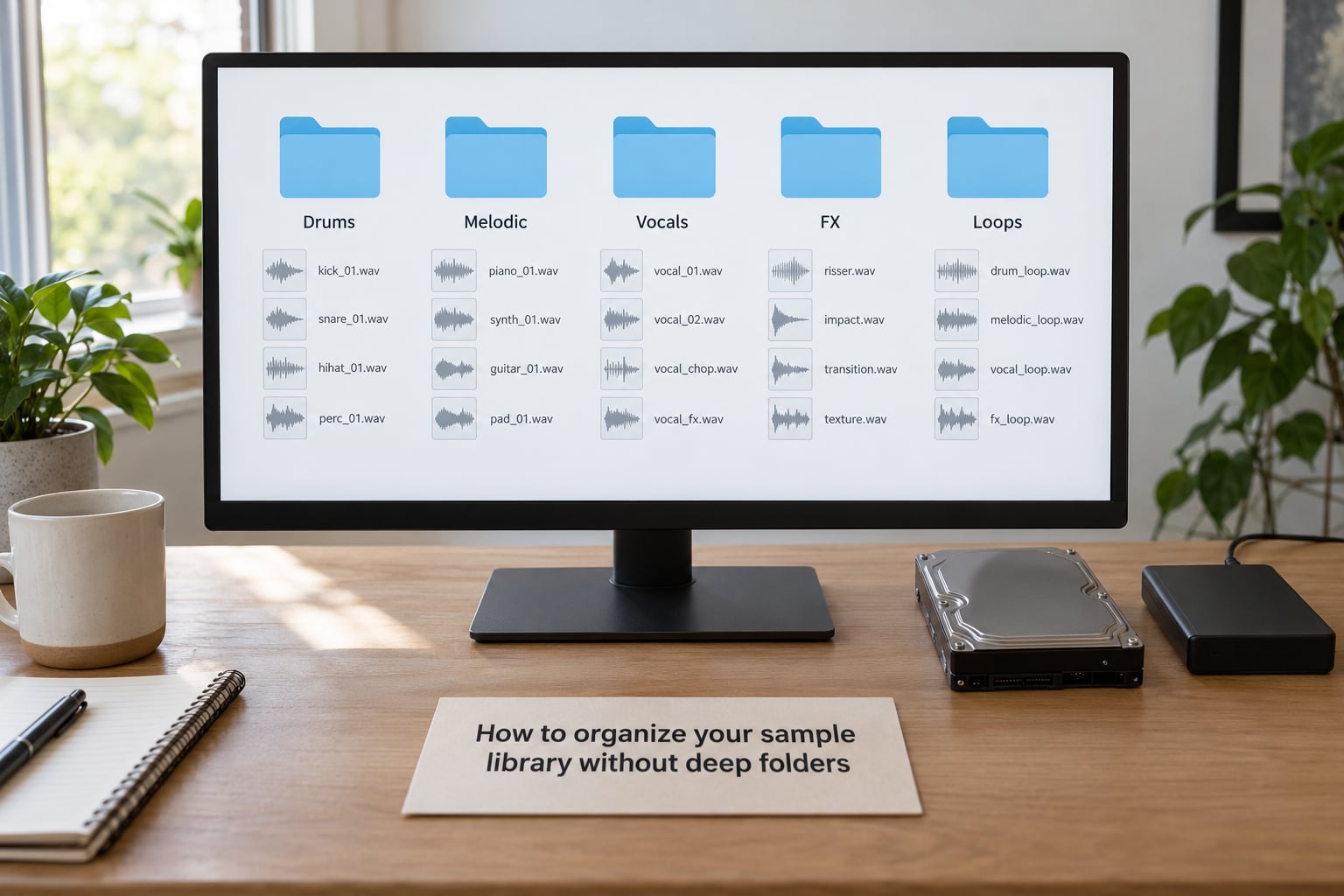
The temptation is to make the tree mirror your brain. Don’t. Four levels is the ceiling, and past that you are browsing rather than searching.
A tree that holds up for almost any workflow:
- Drums — Kicks, Snares, Hi-Hats, Cymbals, Percussion
- Melodic — Piano, Strings, Synths, Guitars, Bass
- Vocals — Phrases, Chops, One-Shots
- FX — Rises, Impacts, Transitions, Ambience
- Loops — by instrument, not by genre
- Field Recordings — anything you recorded yourself
How you tell it worked: pick any random sample and count the clicks to reach it. Two or three, every time. If some sounds take five, the tree is too deep.
Four philosophies compete for that tree, and each suits a different person:
| Organize by | Suits | Weakness |
|---|---|---|
| Instrument | Producers who think in sounds — “I need a kick” | Loses meaning for the same instrument across genres |
| Genre | Producers working in one or two styles | Turns into a dumping ground the moment you cross styles |
| Source or pack | Licence tracking and provenance | You browse by who made it, not by what it does |
| Flat plus tags | Anyone willing to tag properly, especially hardware sampler users | Useless for the first week before tags exist |
Instrument-first with tags on top is the compromise most people land on. One caveat from the Steinberg forums is worth taking seriously: renaming or moving files that your saved patches already reference breaks those patches, and the error only shows up when you open the project weeks later. Kontakt, Alchemy, Falcon and HALion all store paths, not content.
The fix is a single master folder. Your external drive holds the real library. Each machine gets a synced working copy, and edits propagate back to the master. You move things in the working copy, never in a live project folder, and a broken path can only ever point at a sync you can re-run.
Rename Samples Consistently
Use one formula and never improvise: Type_Description_Tempo_Key_Version. Underscores, no spaces, no punctuation. A realistic set:
DRM_KCK_ACO_120BPM_Cmaj_01.wavDRM_SNR_RL_124BPM_Gmin_03.wavMEL_PNO_WARM_92BPM_Amaj_01.wav
What must never appear: / : * ? ” < > | and spaces. These break scripts, break cross-platform copying, and cause silent failures in batch jobs that otherwise look fine.
How you tell it worked: sort a folder alphabetically in Finder or Explorer. If the files group logically, the formula is doing its job. If they scatter, your type codes are inconsistent.
One detail that matters more than it sounds: put the pack name or author at the end of the filename. Samplers truncate long names on pad displays, and if the useful part is at the end you never see it on the SP-404, the Octatrack or a Model:Samples grid.
Add Tags and Metadata
Filenames and folders carry the stable categories. Tags carry everything fluid. The fields worth filling on every sound:
- BPM and musical key, detected automatically where the tool allows
- Instrument and type — one-shot, loop, phrase
- Mood and genre as a fixed pair of options, not free text
- Source pack or creator, and where you got it
- One note field you actually read, for the character of the sound
Then fix your vocabulary, because this is where most libraries quietly fail. Tag sprawl is the cause of the classic complaint that a kick you know exists will not come up in search. One file tagged Kick, another Kicks, another KTK means three searches for the same idea. Write your list in the spreadsheet first, then tag strictly from it: singular instrument names, no synonyms, no abbreviations you would have to remember.
Auto-tagging earns its place on the quantitative fields. BPM, key, sample rate and length can be detected across a folder in minutes. Mood, character and whether a loop sits well with a project cannot, so tag those by hand or skip them. Half-tagged beats untagged, because a wrong tag sends you to the wrong sound with confidence.
How you tell it worked: run one search for a sound you can picture — kick, 124 BPM, F minor — and get a sensible list back within a second. Then export your tag database to CSV. That file is your real backup, and it costs nothing.
Sort Samples by Workflow
Folders answer where a file lives; workflow states answer what is done to it. Most libraries need five states, and mixing them into one folder tree is what creates clutter:
- Raw — downloaded, untouched, not yet reviewed
- Processed — chopped, pitched, layered, ready to use
- Favorites — starred, the small set you actually reach for
- Project — sounds living inside one specific song folder
- Archive — kept, not indexed, not searched
The curation test that keeps packs from ballooning: keep a sample if it could plausibly appear in a track you would actually finish. Not every kick in a pack, not every variation of a snare. Producers who apply this typically end up with a shortlist of a few hundred sounds from a pack of several thousand.
On kits versus per-instrument folders: pre-made kits fail most people for one reason, which is liking the kick and not caring about the other five sounds. Per-instrument browsing wins. The counter-argument comes from hardware sampler users, where a chain of samples played through one LFO needs a full set of related files living together — on Model:Samples that is 120 samples per chain. If you work that way, group the chain; do not force the rest of your library into it.
Create Smart Collections
Smart collections are saved searches. You define the criteria once and the playlist rebuilds itself as the library changes. The ones worth having on day one:
- Kick drums in F minor
- Warm vocal chops
- Percussion loops at 90 BPM
- Everything starred, unprocessed
- Everything tagged Licensed: commercial
How you tell it worked: after you add twenty new samples, the collections update without you touching them. If they need refreshing by hand, they are really just playlists with extra steps.
Back Up and Test the Library
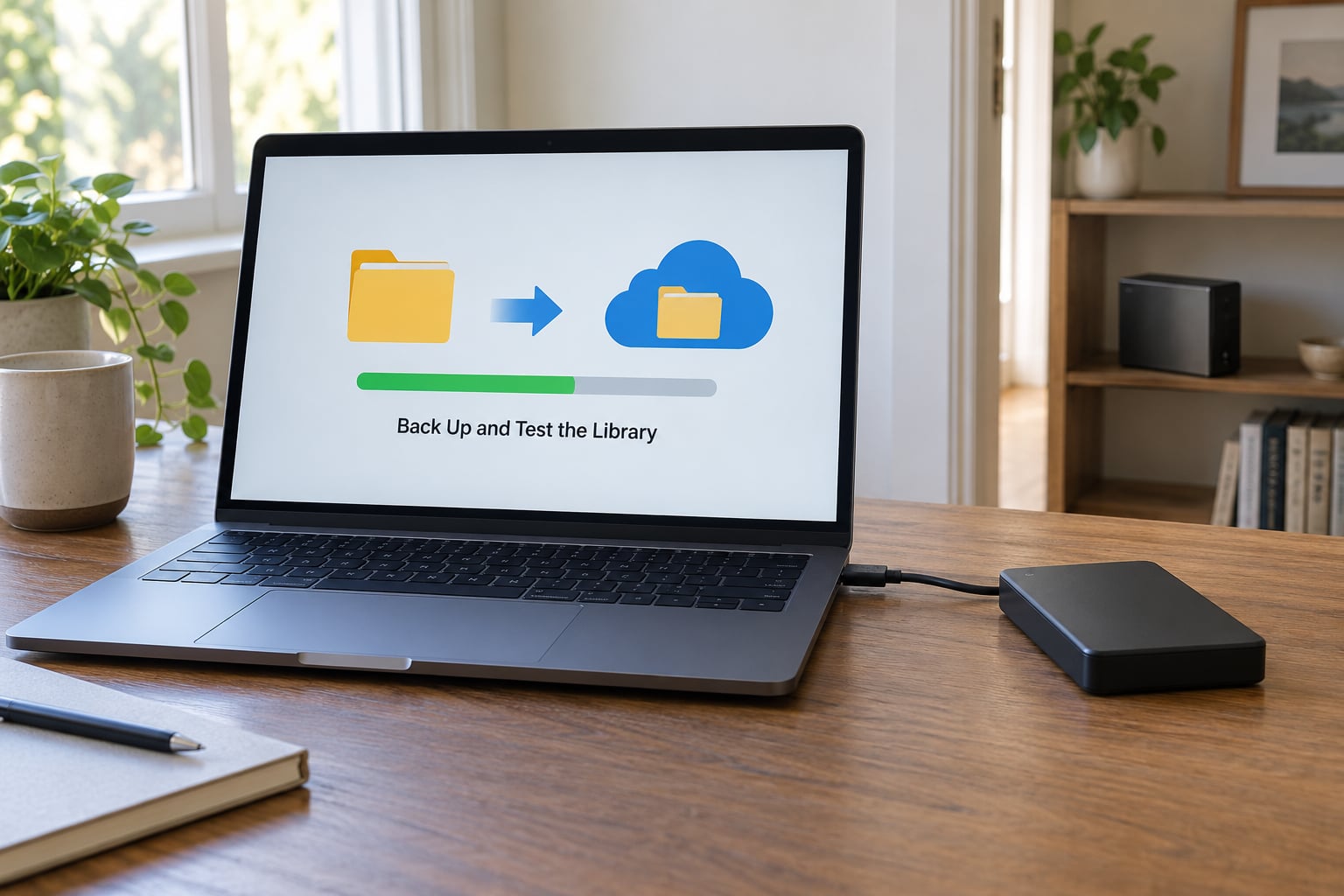
Apply the 3-2-1 rule: three copies, on two kinds of media, with one off-site. In practice that is your working drive, an external drive stored somewhere else, and cloud for the tag database plus anything you recorded yourself and cannot re-download.
Back up the metadata separately and deliberately. Audio is replaceable if the source pack still exists. Your hours of tagging are not, and they are the thing that makes the library worth anything. Export to CSV or XML on the same schedule as the audio backup.
Then test it. Open a project from six months ago, load three patches, and pull five random samples from the external drive. If anything errors or nothing comes back, your backup is a hope, not a plan. This takes ten minutes and it is the only part of backup most people skip.
Common Mistakes
Folders nested five or six deep. Usually a sign that the tree is mirroring a mental model instead of serving lookups. Flatten it and let tags carry the detail.
Vague or default filenames. audio_0031.wav tells you nothing at 2am. Batch rename against your formula and then freeze the convention.
Duplicates nobody can explain. The same kick in four packs, taking real space. Run dupeGuru by checksum once a quarter, decide which copy survives by path length, and delete the rest.
No source information. Two years on, you will not remember which pack a sample came from or whether you can use it commercially. Tag the source the day you add the file.
Inconsistent tags. The single most searchable failure. One vocabulary, enforced, or your searches lie to you.
One drive. A drive fails on a schedule you do not choose. Two copies minimum, and one of them somewhere else.
Maintain the System
Systems decay quietly, and the cause is always the same: adding faster than reviewing. The fix is a short monthly pass with a fixed order of operations. Process what arrived — tag as you go, do not save it for later. Star the good sounds and archive the rest without sentiment. Sweep for duplicates. Review one smart collection and delete anything you have not used in a year.
Keep the vocabulary spreadsheet current too. When you add a tag, add it to the list, and check nothing similar already exists. Ten minutes a month is enough, and skipping it is how a tidy library becomes a 40,000-file pile again by next spring.
Frequently Asked Questions
How should a sample library be organized?
Organize it in three layers: a folder tree no deeper than four levels covering instrument families, one filename formula applied to every file, and a fixed tag list covering BPM, key, mood, genre and source. Keep workflow states — raw, processed, favorites, project, archive — as separate collections rather than nested folders. Back up audio and tag data separately, and review new samples weekly.
What is the best software for organizing music libraries?
A dedicated sample manager beats a DAW browser, because DAW browsers rarely match tags properly and rarely offer offline search. AudioFinder and ADSR Sample Manager are the two most commonly recommended options across production forums, with Voxengo SampleStart as a lightweight free alternative. Choose based on offline search, tag export, and whether the tool ever insists on renaming your files.
What is a sample library?
A sample library is your own organized collection of audio files: loops, one-shots, and multi-sampled instruments stored on your computer or an external drive, named and tagged so you can find and audition sounds quickly. It differs from a sample pack, which is the finished commercial or free download you started from. The library is what remains after you unpack and sort several packs.
Should I organize samples in folders or use tags?
Use both, but let each do a different job. Folders hold stable physical categories such as drums, melodic, vocals and FX, because they survive software changes and work on every sampler. Tags hold fluid attributes like BPM, key, mood and genre. A flat folder with tags only works if you commit to tagging every single file, and most people do not.
Why does renaming a sample break my patches?
Samplers like Kontakt, Alchemy, Falcon and HALion store the file path, not the audio itself. Rename or move the file and that stored path points at nothing, so the error usually surfaces only when you open an old project. Keep one master library folder and synced working copies, move samples there rather than inside project folders, and save a batch of your patches before any big reorganization.
How do I clean up a sample library that is already a mess?
Do not start over. Spend the first weekend on a read-only audit: count files, note duplicate packs, and identify the folders you actually use. Then rebuild in stages — new folder tree first, then batch rename only the folders you will genuinely use, then tag a sample pack at a time. A usable library in two hours beats a perfect one you abandon in month two.
Start with the rename and the tag list, not the folder tree. Rebuilding folders takes an afternoon; renaming and tagging hundreds of files consistently is the part you will put off, and it is the part that makes searching work. Get the vocabulary written down, run a batch rename on one pack you know well, then extend it outward a pack at a time.