A live beat set is your finished beats arranged as a running show that you trigger and mix yourself, instead of handing someone a folder of mp3s. To know how to make a live set from your beats, the setlist matters more than the gear: pick ten to fifteen tracks, order them so the energy rises, load each one as a single audio file onto pads you can hit by hand, and rehearse the whole run on the exact rig you’ll play from.
Most of the anxiety comes from not knowing what to pick. A producer with 300 beats can’t take 300 beats to a 15-minute showcase, and a laptop with no controller looks like a slideshow.
The steps below work in FL Studio, Ableton Live, and on hardware samplers like the MPC and SP-404, and the menu paths are current as of 2026.
What You Need
You can build a working set this evening with what you already own. Here is the full list, in the order you will actually use it.
- Tracks. Ten to fifteen finished beats exported as full stereo audio files, plus three spares in case one fails or turns out to be weak live.
- Playback setup. A laptop with your DAW, or a hardware sampler loaded with the same audio files. Pick one and never switch mid-career.
- A control surface. A MIDI controller with pads or buttons, or a pad controller that only triggers audio. You do not need keys to play beats, you need something to click with one hand while the other hand talks.
- Monitoring. An audio interface with a separate headphone or cue output, closed-back headphones, and a way to send stereo or a mono DI feed to the PA.
- Redundancy. The whole set folder on a USB stick and a second drive, plus a printed setlist. One drive failure should not end your night.
- Planning material. A written setlist with a running time for each beat, and a phone to record your rehearsals.
If you already own a DAW and a 25-key or 8-pad controller, you have everything except the spare drive. Buy nothing until you have rehearsed the set once.
Step-by-Step: How to Make a Live Set From Your Beats
Step 1: Plan how to make a live set from your beats
Decide what the show is before you decide what to play. A 10-minute showcase, a 15-minute open mic, and a 30-minute club slot are three different jobs.
Write down three things: the exact length of your slot, who else is on the bill, and whether an MC or vocalist will use your beats. That last question changes the running time completely. If an MC is rapping over five tracks, those beats get far less stage time each.
Then choose three to five signature beats. These are the tracks people came to hear, and they should appear in the middle of the set, not the last two minutes.
Producers on r/makinghiphop keep asking the same question in different words: can a solo producer with no instrument and no vocals make a set worth watching. The answer is yes, but only if the show has a shape and you have something to do with your hands between tracks.
Step 2: Choose a focused track list
Cut ruthlessly. A beat earns a spot only if it is finished, mixed, works with no vocal on top, and you have heard it loud enough times to know exactly how it feels in a room.
Most live beats run 75 to 90 seconds. You play the hook, one verse-length section, then move on, and you leave 4 to 8 seconds of breathing room so the room can reset.
- 10-minute showcase: 6 to 8 beats.
- 15-minute open mic: 8 to 11 beats.
- 20-minute showcase: 10 to 14 beats.
- 30-minute club slot: 15 to 20 beats, or 12 beats with an MC filling the gaps.
- 60-minute set: 25 to 30 beats, and plan for the fact that you’ll be tired at minute 45.
Also drop any beat that still contains a pitched vocal chop from another artist, or a loop you never cleared. Playing it in a room is a public performance, not a private demo.
Step 3: Sequence the set for energy and flow
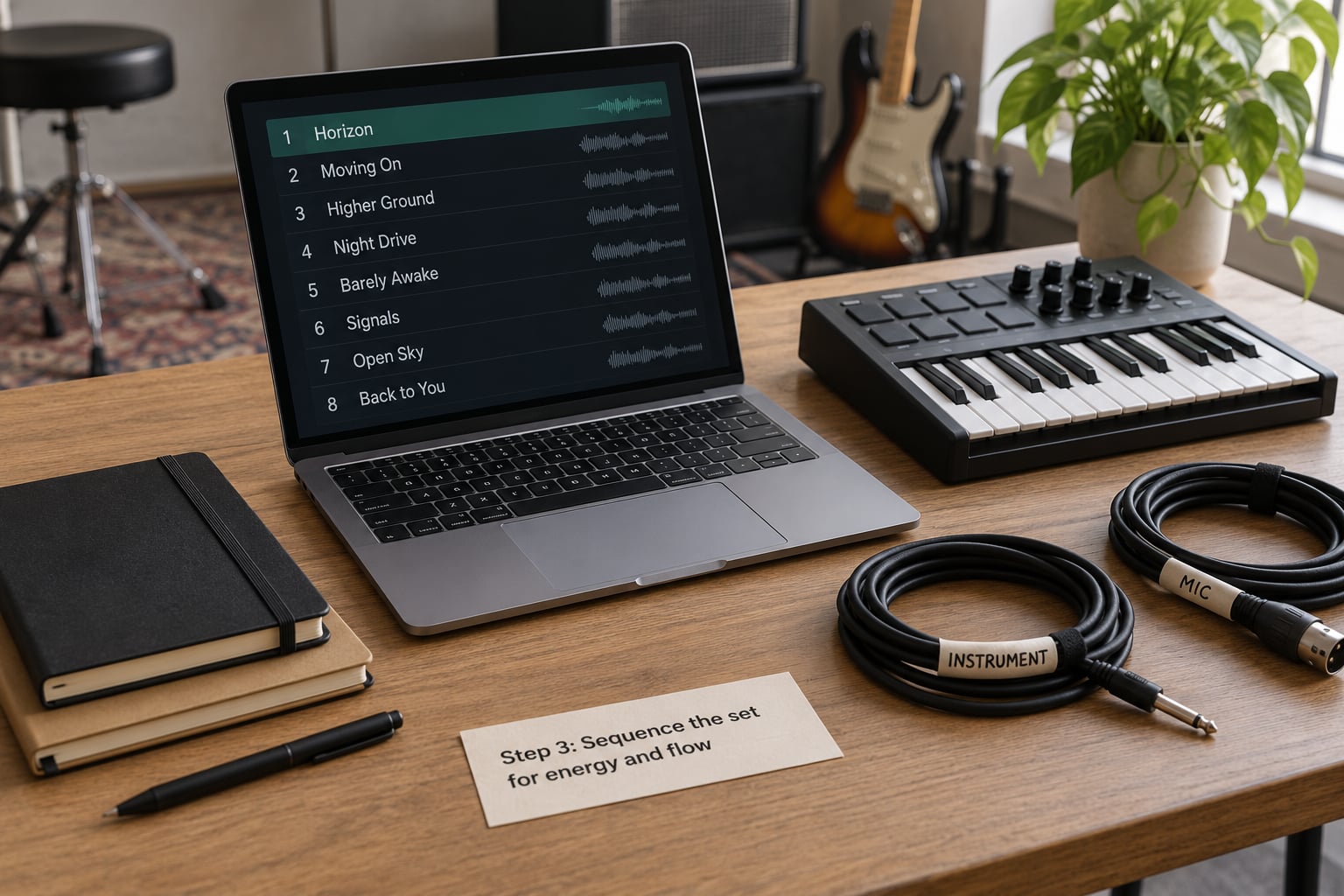
Order the set in four blocks: opening, build, peak, and cooldown. Open at medium energy with something familiar, not your hardest banger, because you need the room to settle in first.
In the build, raise the density and the tempo slightly. Vary contrast rather than volume: put a sparse, moody beat right after a busy one so listeners notice the switch.
Put your two or three strongest tracks around the 60 to 70 percent mark. Ending on the best beat feels flat because there’s nowhere left to go, and the last track should be the one that makes people ask about the next show.
Finish with one or two slower tracks and a plan for the drop. If two beats share almost the same tempo, separate them with something far away from that tempo.
Step 4: Prepare each beat for performance
Export every selected beat as one full stereo audio file at the same sample rate as your project. Keep the file names short and numbered, like 01_hook.wav, so they load in the right order everywhere.
Listen to each export on headphones and on a speaker, in the room you’ll perform in. Look for clipping in the master channel, a hard cut at the end, a fade that swallows the last word, and any stretch of silence that sneaks into the middle.
Leave a little room at the tail of every beat. A reverb tail or an outro that runs past the point where you want to move gives you a natural transition instead of an abrupt stop.
Load them into the performance setup before you rehearse, not during. In Ableton Live, put each file on its own track in Session View so you can launch clips by keyboard row instead of hunting with the mouse. On an MPC or SP-404, put one beat per pad and label every pad with tape so you can read it under bad lighting.
FL Studio producers usually load exported audio into a sampler or a second performance DAW, since the Playlist is built for editing, not for launching tracks on cue. Whatever route you take, set the output device in Options, then Audio settings, confirm the master is the destination, and test the level.
Step 5: Build reliable transitions
Dead air between beats is the single thing that makes a live beat set feel amateur. Plan each gap before you rehearse it.
Hard cuts are the simplest and the safest: fade the last bar of a beat and start the next one exactly on the downbeat. Tail-outs are the smoothest: let the previous beat ring while the next one starts underneath it.
Count-ins give the room a signal that something is coming. Two bars of drums before the hook gives people a reason to look up.
Stingers and count-ins can live on a spare pad so you trigger them with one hand while the other talks. A spoken bridge works too, and for a set with no vocalist it is the strongest tool you have: five seconds of naming the next beat fills the gap better than any effect.
Whichever method you use, assign every one to a fixed pad or key you can find without looking. Memorize the positions. Scrolling a track list on stage is the fastest way to lose a room.
Step 6: Rehearse the complete set
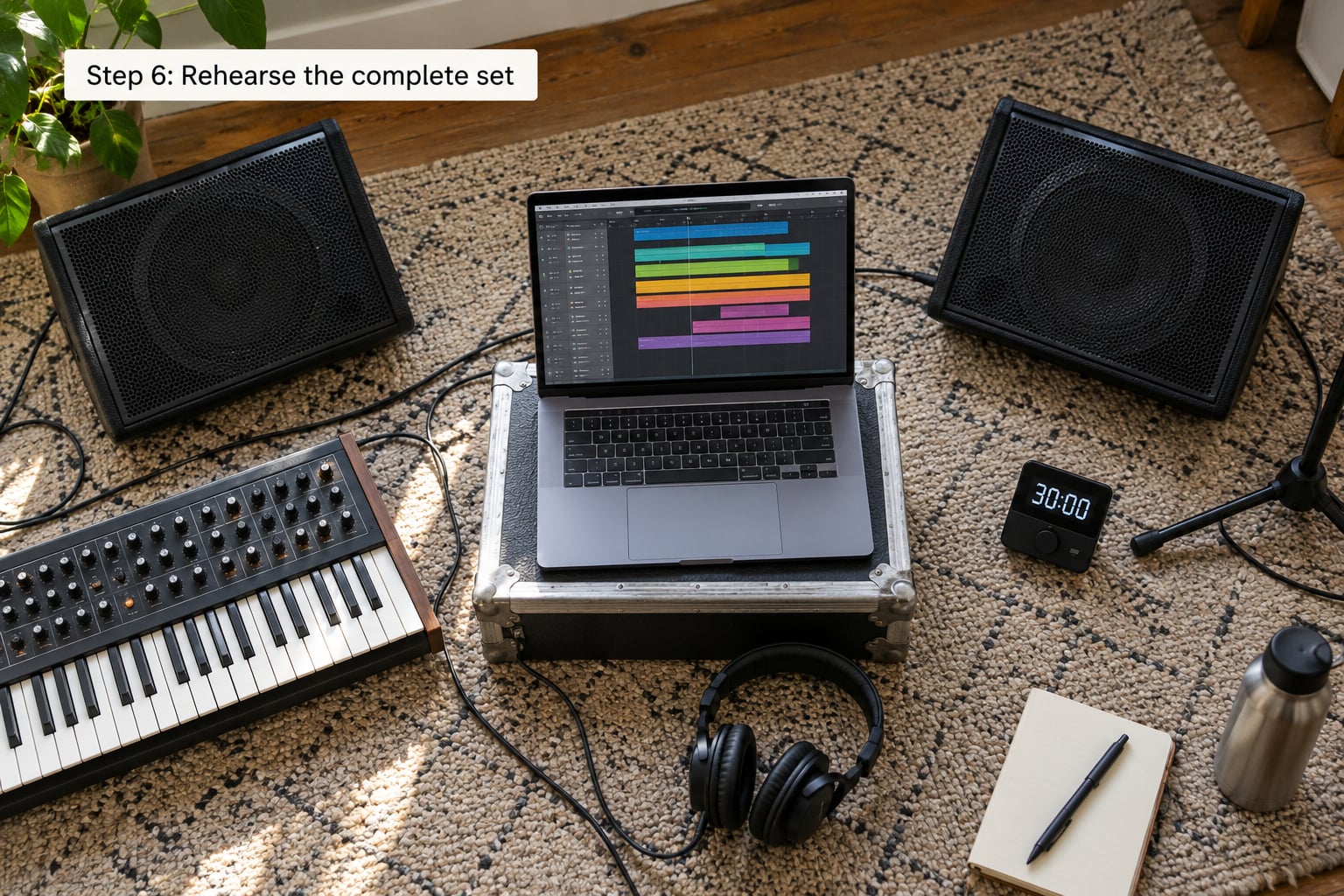
Rehearse from the actual playback source, on the actual interface, at the actual time of day you will play. A laptop with built-in speakers teaches you nothing about what the room will hear.
Record every run on your phone from audience distance, then watch it. You’ll spot the tracks you rushed, the long gaps, and the moment your energy dropped, faster than you can notice them while performing.
Time each block and write the total on the setlist. If your 15-minute slot runs to 19 minutes, you cut two beats now rather than playing to an impatient sound engineer.
Also rehearse the failure. Pull a file mid-set, kill the master, and start the next track by hand until recovering is boring. If that scares you at home, it will not scare you on stage.
A six-week plan covers most people:
- Week 1: build the set, load the pads, learn the positions without music.
- Weeks 2 and 3: run the set twice a day, record both, note what you fumbled.
- Week 4: add transitions and a microphone, trim the set to fit.
- Week 5: full run with someone watching and holding a timer.
- Week 6: one run in the venue if possible, one at home the day before.
Two months is realistic for pad-triggered playback, because you’re triggering finished audio and the timing is guaranteed. A full DAW performance or freestyling over patterns takes considerably longer, and it’s not the right starting point for a first show.
Step 7: Refine the show for the audience
Introduce each beat in one sentence. Say the name, the tempo, and one line about the mood, then let it play. Producers who talk over every track end up selling music instead of performing it.
Use the pads as punctuation: a stinger on a downbeat when the room is flat, a filter sweep before a track you know is your best. Those two moves cover most weak moments.
Stand where you can see the room. A closed laptop or a screen behind your back makes you look like you’re avoiding people, so use an external display when you can.
Plan the ending properly. Pick your closer, let it ride past the point where the hook resolves, then kill the master cleanly on a bar you chose in advance.
Common Mistakes
Playing twenty beats in a ten-minute slot. Fix: work from the timing list and cut until the set fits with 30 seconds to spare.
Every track at the same energy. Fix: plan the four blocks on paper before you touch the software, and check contrast between neighboring beats.
Relying on files that only exist in one project. Fix: export standalone audio, then keep the whole set in one flat folder on two drives.
Ignoring timing. Fix: record a full run and write down the total. You almost always need to cut.
Skipping stage monitoring. Fix: during soundcheck, play the set through the PA at show volume and walk the room. If the kick is gone from the floor position, the mix is wrong before the first person arrives.
Rehearsing on headphones only. Fix: rehearse at least once a week on a speaker. Latency and monitor bleed make timing feel off in ways that only appear on stage, and setting a small buffer size in your audio preferences fixes most of it.
Practicing without the real setup. Fix: at least one full run per week from the same laptop, controller, interface, and folder you will load on the night.
A few quick tips: label every pad, put a spare copy of the set on a USB stick in your pocket, and never perform a beat you’ve heard fewer than ten times.
Frequently Asked Questions
How many beats should I play in a 10 minute set?
Six to eight beats is the comfortable range for a 10-minute showcase. Most live beats run 75 to 90 seconds, so six tracks with short introductions fill the slot without rushing. Play fewer, longer beats if the room responds well, and always rehearse the total with a timer so you know where you stand before the night.
Do I need an MPC or is a MIDI controller enough?
A MIDI or pad controller is enough for a first show. Triggering finished audio guarantees the timing, and you can build the entire set tonight with the DAW you already own. A sampler such as an MPC or SP-404 makes you less dependent on a laptop and is worth adding once you’re playing longer sets or shows where the routing matters.
How do I play my beats live from FL Studio?
Export each beat as a standalone stereo audio file, then load those files into a sampler or a performance DAW such as Ableton Live, where each track gets its own row and launches from a keyboard. FL Studio’s Playlist is built for editing rather than cueing, so it isn’t the usual stage setup. In FL Studio, set the output device under Options, then Audio settings, and confirm your master is the destination.
How do I connect my laptop to a PA system?
Feed the master output of your interface into the PA, usually through a DI box or an XLR or stereo cable the venue provides. Ask the sound engineer what inputs are free, play the set at show volume, and walk the room during soundcheck. If your kick disappears in one corner, it’s a mixing problem you can fix before anyone arrives.
What should I do if a beat fails mid-show?
Keep your hand moving and talk while you recover. Most failures are a click, a wrong pad, or a momentary silence, not a dead show. Memorize which pad or key launches the next track so you can skip the failed one and carry on, and keep a copy of the set on a USB stick that you can load if your laptop freezes entirely.
How long should I rehearse before my first live set?
Six weeks is a realistic runway, and two months is enough for pad-triggered playback because the timing is already locked in the audio. Spend week one loading tracks and learning pad positions, weeks two and three running the set twice daily while recording it, and the last two weeks adding transitions and trimming the running time. Rehearse on a speaker at least once a week.
Conclusion
Building a live beat set is a setlist problem before it’s a gear problem. Start today by choosing your strongest ten to fifteen beats, writing them into an opening, build, peak, and cooldown order, and exporting each one as a clean audio file on a labeled pad.
Then rehearse the full sequence on the exact laptop, controller, and interface you will use, with a timer and a phone recording. That single habit separates a set people remember from a set they watch you survive.