MIDI stands for Musical Instrument Digital Interface, and it is a way for keyboards, drum pads, and software to tell each other which note to play, how hard to hit it, and when. It carries no sound at all — only the instructions. That single fact is why producers reach for it: a recorded audio file is a frozen performance, while a MIDI part stays editable forever.
This guide walks through what is MIDI and why producers use it, how the messages travel from your fingers to a DAW, and where the format still struggles. No music degree required.
Table of Contents
What Is MIDI and Why Do Producers Use It?
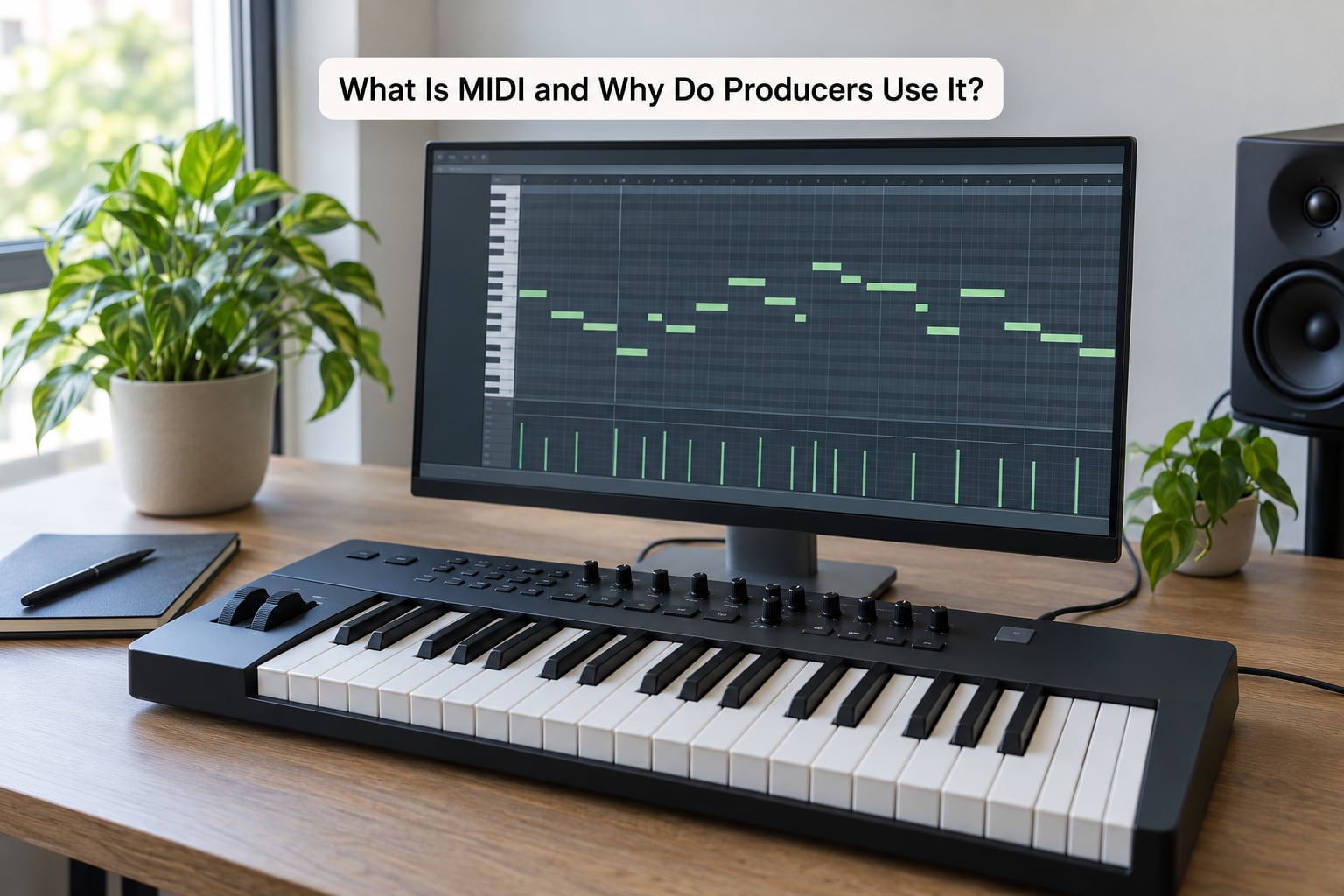
MIDI is a communication protocol, not an instrument and not an audio format. A controller sends numbered instructions such as “note 60, velocity 104, start now,” and a synthesizer or software instrument on the other side turns those instructions into sound.
Because the sound lives at the receiving end, you can replay the same MIDI data through a completely different instrument tomorrow. Change one dropdown in your DAW and a nylon-string guitar part becomes a glass bell part, with nothing re-recorded.
Where MIDI came from
Independent manufacturers could not get their keyboards, drum machines, and synthesizers to talk to each other, so a small group of engineers and designers built a shared language. Dave Smith and Ikutaro Kakehashi are the two names usually credited with the specification work. The public demonstration came at the NAMM show in January 1983, where a Sequential Circuits Prophet-600 drove a Roland Jupiter-6 — two competing brands, one keyboard, no extra cabling.
That demo is the whole idea in miniature: one controller, many instruments, and no audio involved.
What MIDI actually is, and what it is not
MIDI is not a recording. It is not a piece of music either — it is closer to a score that a machine plays. The best plain-language analogy is a recipe: flour, water, temperature, and time. Swap the oven and you get bread or pizza, but the recipe itself never changes and never included the finished meal.
Audio records what came out of the microphone or the speaker. MIDI records what you asked for. Those are two different records of the same event, and only one of them can be re-shaped note by note after the fact.
How Does MIDI Work from Instrument to DAW?
The path is short: a controller sends messages out of a MIDI port, they travel over a cable or a USB connection, and a receiving device plays them. Everything else is detail about how those messages are labeled.
Three ports cover most setups. MIDI Out is where your keyboard sends. MIDI In is where the destination listens. MIDI Thru copies incoming messages straight out again, which is how one controller can drive a rack of three synths at once.
Every device also has an output port number. A DAW showing two devices named MIDI 1 and MIDI 2 is simply telling you which physical cable to plug into.
Channels are how messages get sorted
Messages carry a channel number, and classic MIDI allows 16 of them. The receiver is told to listen on a specific channel, so channel 3 messages reach one instrument and channel 4 messages reach another. When your pads trigger the wrong sound, a mismatched channel is usually the reason.
Hardware also speaks MIDI clock, a pulse used to keep two separate machines running at the same tempo. That pulse is why a sequencer in one room and a drum machine in another can stay locked together.
What happens when you play one note
- You press a key, and the keyboard generates a Note On message with a velocity value between 0 and 127.
- The message leaves the controller’s MIDI Out port and travels through the cable or USB connection.
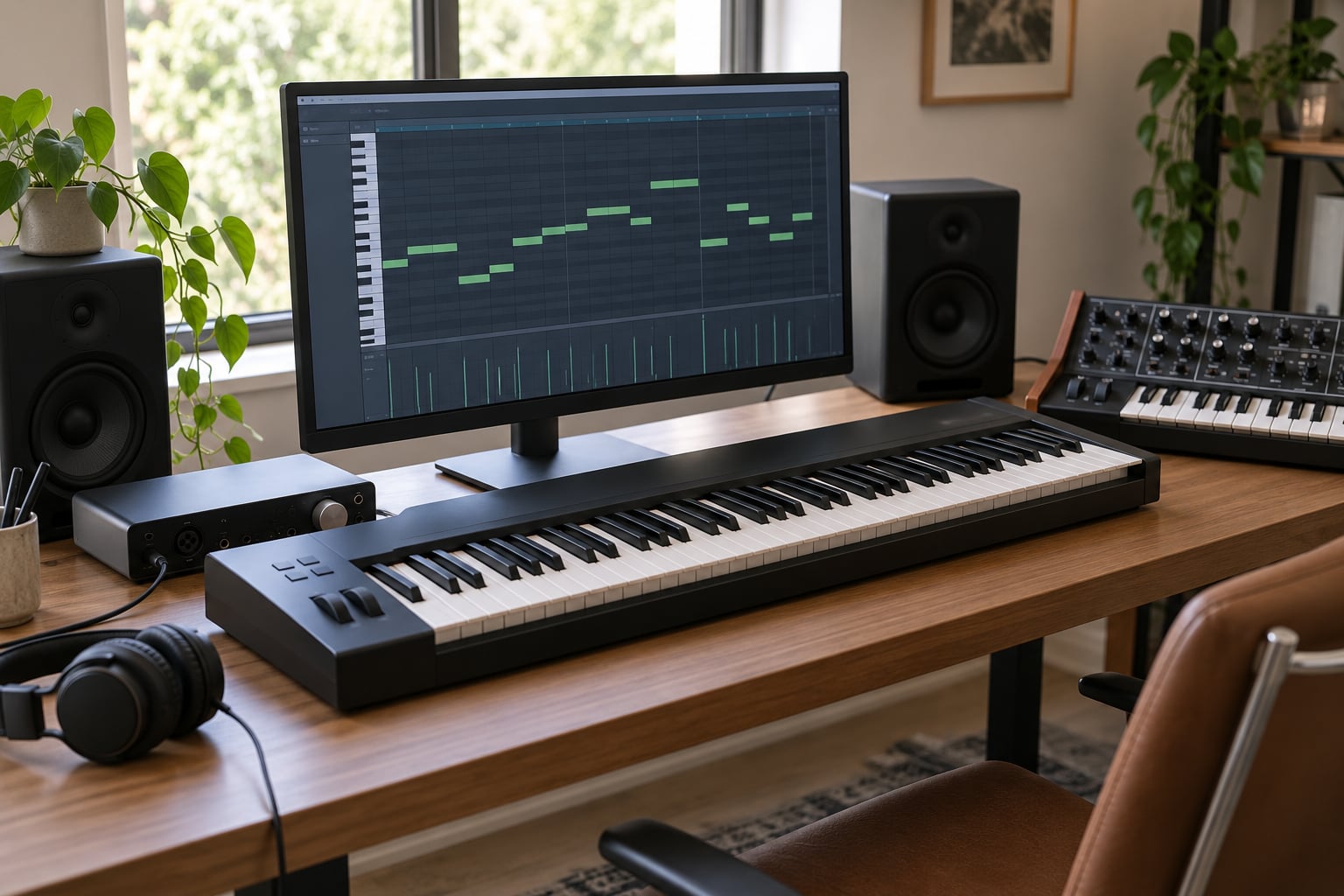
- The DAW receives it, stamps it with the current position on the timeline, and draws a block in the piano roll or step sequencer.
- You let go of the key, a Note Off message follows, and the block gets a length.
- During playback the DAW resends both messages instantly, and the software instrument plays the note again at full speed.
Step 5 is the important one. Replaying a MIDI part takes no time, so a four-minute song assembled from hundreds of tiny edits still exports at normal speed.
What Does MIDI Send?
Six message types cover nearly everything a producer does. Here is each one in plain language.
Note On and Note Off
Note On starts a note and carries a pitch number from 0 to 127, where 60 is middle C. Note Off stops it. A Note On with a velocity of zero also stops a note, which is a quirk older keyboards still rely on.
Velocity
Velocity is how hard the key was struck, from 0 to 127. It is the fastest way to make programmed parts sound less dead: raise some hits, drop others, and a flat drum pattern suddenly has dynamics.
Control Change
Control change messages, usually written CC, drive continuous parameters. CC 1 is the mod wheel on most synths, CC 7 is volume, CC 74 is often a filter cutoff. These are the numbers behind every filter sweep, expression pedal, and mapped knob in a DAW.
Program Change
Program change tells a device to jump to a different preset. It is how a pad or a fader can flip between four patches mid-performance without anyone touching the instrument.
Pitch Bend and Aftertouch
Pitch bend reports the position of a wheel or a bend-sensitive pad, usually on a 14-bit scale, and handles guitar bends and vibrato. Aftertouch reports pressure after the note starts, which is great on some controllers and rare in actual use.
None of these messages contain a waveform. They are instructions, which is why a single MIDI file can ask for a piano, a trumpet, or a sitar and get whatever the receiving instrument happens to sound like.
Why Do Producers Use It?
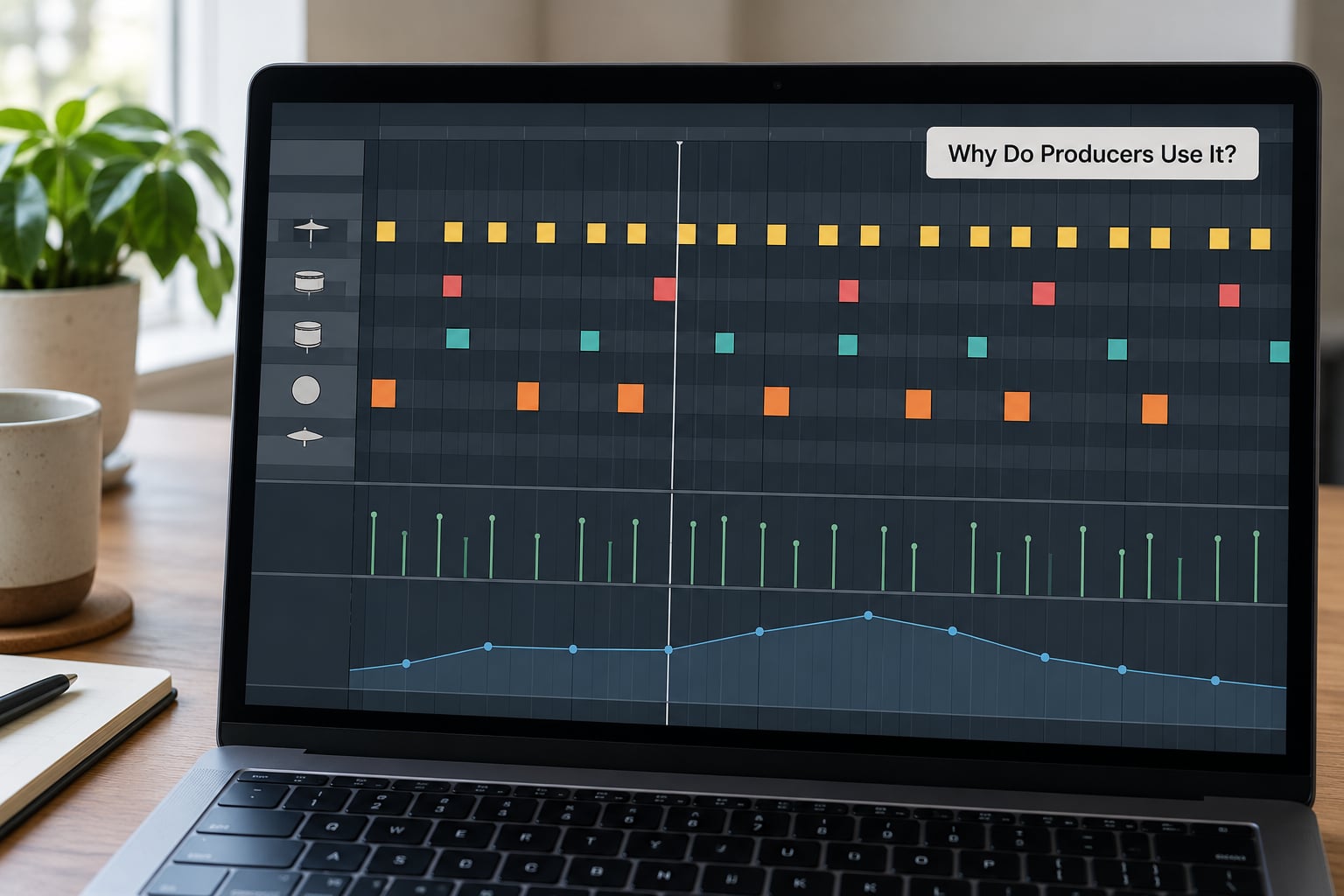
Producers use MIDI because it turns a performance into something closer to a document. Six benefits come up in almost every session.
1. Every note is editable after the fact. If your kick lands a fraction late or the chorus melody hits the wrong note, you drag the block instead of re-recording the take. With audio you would be reaching for a de-esser, a compressor, or a re-take.
2. Instruments swap instantly. Compose the arrangement on one sound, then audition three others before you commit. Nothing has to be rendered or bounced to hear the alternative.
3. Layering is cheap. Stack the same melody on three instruments, or thicken a single snare hit with a tuned percussion layer. Each layer is its own MIDI clip that stays editable.
4. Tempo changes are free. Because a MIDI part stores positions rather than samples, slowing the whole project from 120 BPM to 90 keeps every note lined up with the grid. Audio slows down and turns to mud.
5. Automation is written, not performed. Draw a filter opening over eight bars, or map a knob to a fader, and it repeats exactly on every playback.
6. Files stay tiny and stay portable. A bar of a string section is a page of note data rather than a recorded take, so an entire mock-up can be emailed to a collaborator who has none of your software instruments.
What Are the Main Types of MIDI Data?
Beginners often treat MIDI as one thing when it is really several. Separating them clears up most of the confusion in forum threads.
The protocol, the file, and the controller are three different things
The protocol is the language itself, unchanged since 1983. A MIDI file with a .mid extension is stored data in that language, playable on almost anything. A MIDI controller is hardware that speaks it, such as a 49-key keyboard, a pad grid, or a control surface with no keys at all.
A synthesizer that responds to MIDI can also make its own sound with nobody plugged in. That distinction explains why the same keyboard feels useless in one studio and essential in the next.
MPE and MIDI 2.0: what actually changed
MIDI 2.0 raises message resolution from 7 bits to 32 bits, so pitch bends and other continuous values move in far finer steps. MPE, or MIDI Polyphonic Expression, gives each note its own pitch bend and pressure value, so a chord can bend each finger separately — closer to how a real string section or guitar behaves.
Both are backward compatible, which means old gear keeps working and nothing you own today is obsolete. Adoption in studios is still partial, mostly in sample libraries designed for it. If you are starting out, learn plain MIDI first and treat these as an upgrade later.
How Do You Record and Edit MIDI in a DAW?
The workflow is the same in every DAW, even when the buttons are named differently. These are generic functions, not menu paths for one specific program.
- Connect the controller. Plug it into the computer, usually over USB, and open the DAW’s MIDI settings so the device appears in the input list.
- Pick a track and load an instrument. Create a new MIDI or instrument track, then choose a software instrument from the bundled sounds or a virtual instrument plugin.
- Arm recording and play. Hit record, play the part once. Even a stiff first take is useful, because every note is still editable afterward.
- Tighten the timing. Use the DAW’s quantize or alignment function to pull the part onto the grid, then ease a few notes off the grid again so it does not sound mechanical.
Two mistakes slow almost everyone down. Forgetting to check that the controller’s channel matches the track’s input channel produces silence or the wrong sound. And quantizing hard, with no human touch afterward, is the main reason programmed parts feel lifeless.
You do not need a controller at all to learn this. Most DAWs let you draw notes with the mouse, and step sequencers let you build a drum pattern without touching a key. If you want hands-on input, pad grids and drum controllers skip the piano keyboard entirely.
What Are the Advantages and Limitations of MIDI?
MIDI wins on control and loses on physical realism. This table sets out the honest trade-off.
| Factor | MIDI | Audio recording |
|---|---|---|
| What is captured | Note, velocity, timing, controller data | The finished waveform |
| File size | A few kilobytes for a full part | Megabytes per minute per track |
| Editing a wrong note | Drag the block, done | Re-take or heavy repair |
| Swapping the sound | Change the instrument instantly | Impossible without re-recording |
| Sound variation | Only what the performance contained | Every take sounds different |
| Realism | Depends on the instrument and the playing | A real player, real room, real strings |
| Tempo changes | Trivial and clean | Changes pitch and quality |
| Typical file | .mid or inside a DAW project | .wav or .aiff |
The limitation worth naming is the robotic sound. Real playing has tiny timing pushes, uneven velocity, and a human feel that programmed blocks lack. That is a performance problem more than a format problem, and there are four fixes.
- Vary velocity. Nudge hits up and down by a few values; evenings out a loop instantly.
- Leave some timing loose. Quantize to the grid, then drag a handful of notes slightly early or late.
- Use a humanize or groove effect. Most DAWs ship one, and it applies small randomized changes to timing and feel.
- Record a real layer on top. A played chord or a live drummer over programmed parts is the hybrid workflow many producers settle on.
Live players can shape phrasing and dynamics in ways a controller rarely matches. If realism is the goal, most producers end up recording real instruments for the emotional parts and using MIDI for everything underneath.
Frequently Asked Questions
Is MIDI the same as audio?
No. MIDI is performance data: which note, how hard, how long, and when. Audio is the actual sound, recorded as a waveform. A MIDI file is closer to sheet music than to a song, and it stays editable while audio freezes a take the moment it is recorded.
Do I need a MIDI interface to use MIDI?
Usually not. Most USB controllers are class-compliant, so plugging them into a computer is enough and no separate interface is required. You only need an interface when you want DIN connectors for older hardware, more inputs than your computer offers, or MIDI over a long cable run.
What is the difference between MIDI and MPE?
Standard MIDI bends pitch per channel, so every note moves together. MPE, MIDI Polyphonic Expression, gives each note its own bend and pressure, which lets individual notes of a chord bend independently. It needs compatible controllers, instruments, and a DAW, and it is less common than plain MIDI.
Why are MIDI files so small?
Because they store instructions rather than sound. A minute of audio holds thousands of samples per second, while a minute of MIDI might be a few thousand numbers describing note positions and velocities. That difference is why a full arrangement can travel in a fraction of a single audio file.
Can I learn MIDI without a keyboard?
Yes. Most DAWs let you draw notes with a mouse and build patterns in a step sequencer, which teaches the whole concept without any hardware. Controllers also come in pad grids and drum pads, so you can learn input, channels, and editing first and add keys later if you want them.
Conclusion
MIDI is the language instruments and software use to describe a performance, and it carries instructions rather than audio. Producers rely on it because it keeps every note editable, every sound swappable, and every file small.
The fastest way to understand it is to record one eight-bar part in a DAW, then drag a single note somewhere else and change the instrument. That small experiment answers more questions than any explanation.